Releases

The first thing I do when I get a new Mac is install a couple AppleScripts I wrote years ago and still use every day.
They’re not very sophisticated, and they’re really specific to the way I work. But that’s the point. The promise of automation is that you can change how your computer works, in ways big and small.
For a while, it wasn’t obvious Apple was going to keep investing in that idea. Then came Shortcuts. Shortcuts brought automation back into the center of Apple’s platforms and extended it beyond the Mac.
Today, we’re excited to share:
Bitrig can now build App Shortcuts, App Intents, and App Entities.

Together, they make your app’s most important tasks and content available across the system:
Shortcuts lets people combine your app’s actions with other apps to build custom workflows and automations.
Siri lets people invoke your app’s actions by voice, using phrases and app-specific content you define.
Spotlight lets people find app-specific content and run your app’s actions from system search.
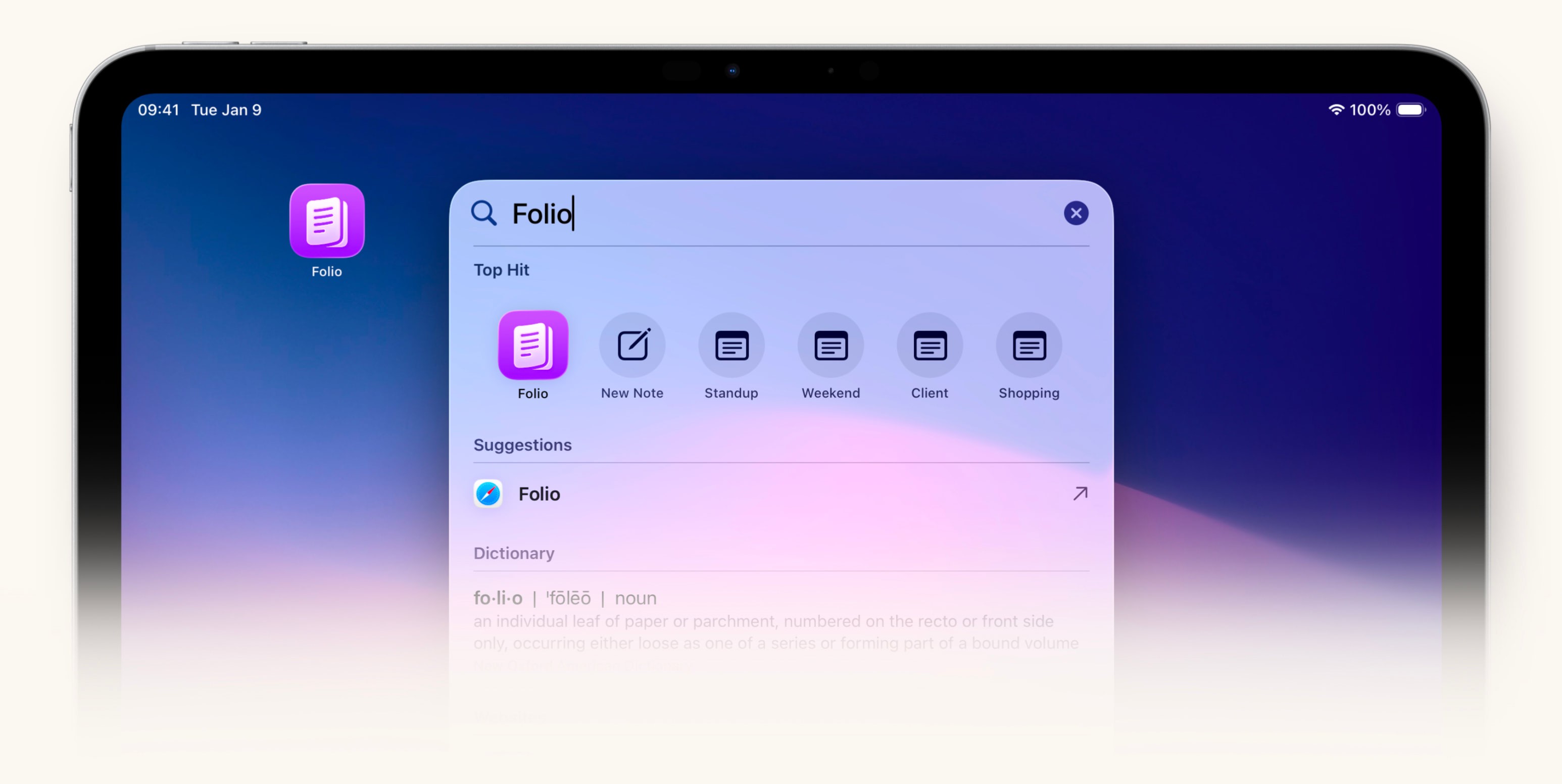
These technologies serve as the foundation for upcoming Siri and Apple Intelligence capabilities, helping the system understand what your app can do, what content it contains, and which actions make sense in context.
This release also adds App Shortcuts to Bitrig itself. You’ll be able to invoke common Bitrig actions from Shortcuts, Siri, and Spotlight: sending a message, opening a project, running your app, and more.
For decades, automation has aspired to close the gap between the device in your hand and the ideal workflow in your head. AI may finally bring that within reach, not just for power users, but for everyone.
So build Shortcuts and App Intents, and let people put your app to work in ways you never imagined.
Topics
Widgets & Extensions
Apple Platforms

