Releases

Last week, Apple announced the iPhone Duo, its first foldable phone.
Moments like this are one of the best parts of building for Apple platforms. A new device is a blank canvas, and everything feels wide open. Everyone is still figuring out what it's for, Apple included.
It was developers who invented pull to refresh, swipe actions, and pressing the volume button to take a picture. And Apple ultimately built all three into the system as first-class interactions.
Today, we're excited to share:
Bitrig can now build iPhone Duo apps and test them in its 3D folding simulator.
That means:
Try every pose. iPhone Duo can sit on a table like a laptop or stand by your bedside like a tent. Open, closed, or partially folded, in portrait or landscape, your app needs to adapt. Bitrig’s 3D simulator lets you grab it, fold it, turn it, and watch your app respond.
Respond to the hinge. Drive interactions and effects as the phone folds using
onHingeChange, like Apple’s unfold effect that makes the outer display feel like a window into the inner one. Read the hinge data live as you open and close it in the built-in simulator.Build hands-free experiences. Use
ArrangementViewto lay out media on the upper half and controls on the lower half when iPhone Duo is sitting on table. Support landscape orientation so people can use your app on the outer display when it's standing on its edges.Use both displays at once. Add a
CameraCaptureAccessoryto the outer display and give the person facing the camera something useful to see.
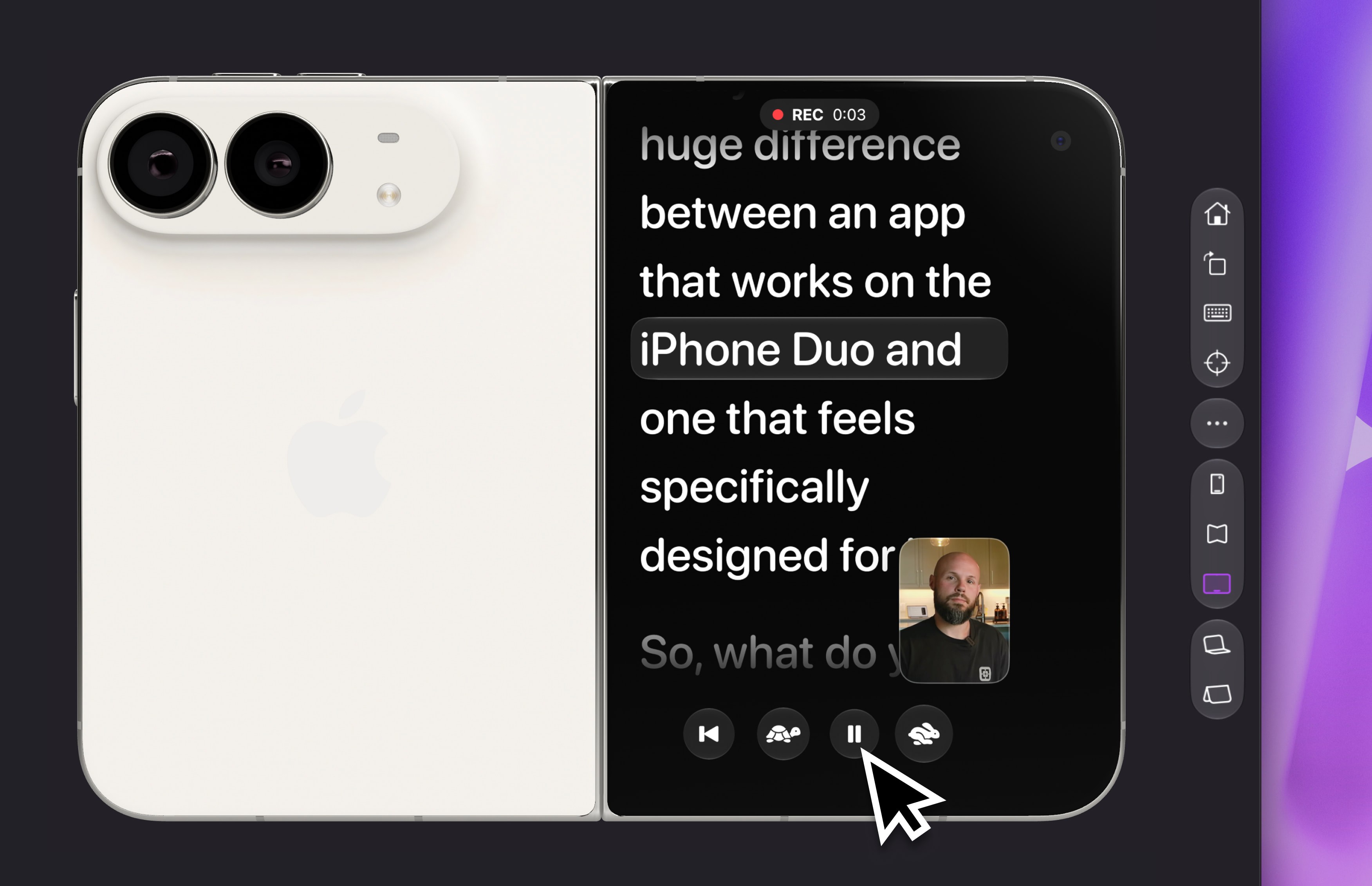
Bitrig builds native SwiftUI apps, so standard navigation, toolbars, and controls already do much of the work of adapting to iPhone Duo. And with support for Apple’s App Resizability skill, Bitrig can help you update an existing app to make better use of the space.
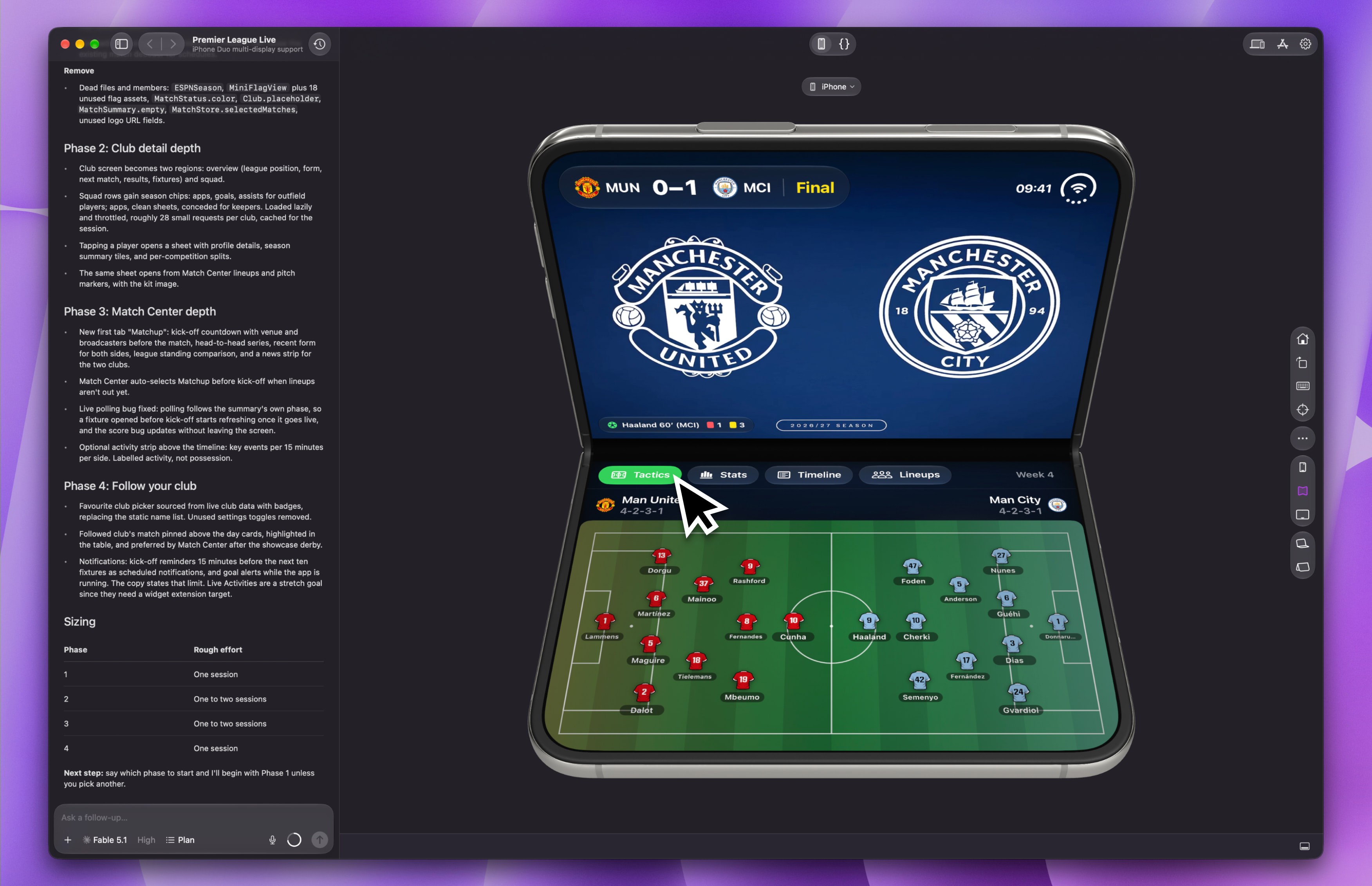
To get started, install Xcode 27.1 beta and the iOS 27.1 simulator. Bitrig helps you manage multiple versions of Xcode, so you can start preparing your app for iPhone Duo with the beta and switch back to Xcode 27 to build and release updates.
With two displays, a hinge, and all the ways you can hold it or set it down, iPhone Duo opens up many new possibilities. So open Bitrig, unfold the simulator, and see what you can invent.
P.S. On September 26 we're hosting Bitrig Hacks: iPhone Duo Edition in San Francisco. The goal is to get together and explore what's newly possible with iPhone Duo. We'll have lunch, a great panel of judges, giveaways, and prizes. We'd love for you to join us.
Topics
Apple Platforms
Simulator
Developer Workflow

