Releases

The first iPhone app I ever built was an ornate fortune cookie app.
Back then, Mac OS X interfaces were lickable and apps were delicious. There was a real belief that software should not just be useful, but beautiful too. That apps could be eccentric. That they should have personality.
Since then, the design of macOS and iOS has become flatter and more restrained. But the urge to personalize, even accessorize, my devices never went away.
That’s why I love Widgets, Live Activities, and Controls.
They’re useful, of course. They make important information easier to see and common actions easier to reach. But they also let the character of an app escape its icon and become part of the device itself.
Today, we’re excited to share:
Bitrig can now build Widgets, Live Activities, and Controls.
Widgets let you place a portal into your app on the Home Screen, Lock Screen, Mac Desktop, and Apple Watch Face.
Live Activities let you display live content for an ongoing event or task in the Dynamic Island and on the Lock Screen.
Controls let you surface important actions in Control Center, the Lock Screen, and the Action button.
You can preview these system experiences on a connected device or in the Bitrig simulator. And because Bitrig supports iPhone, iPad, Apple Watch, and Mac, you can build them across all of Apple’s major platforms.
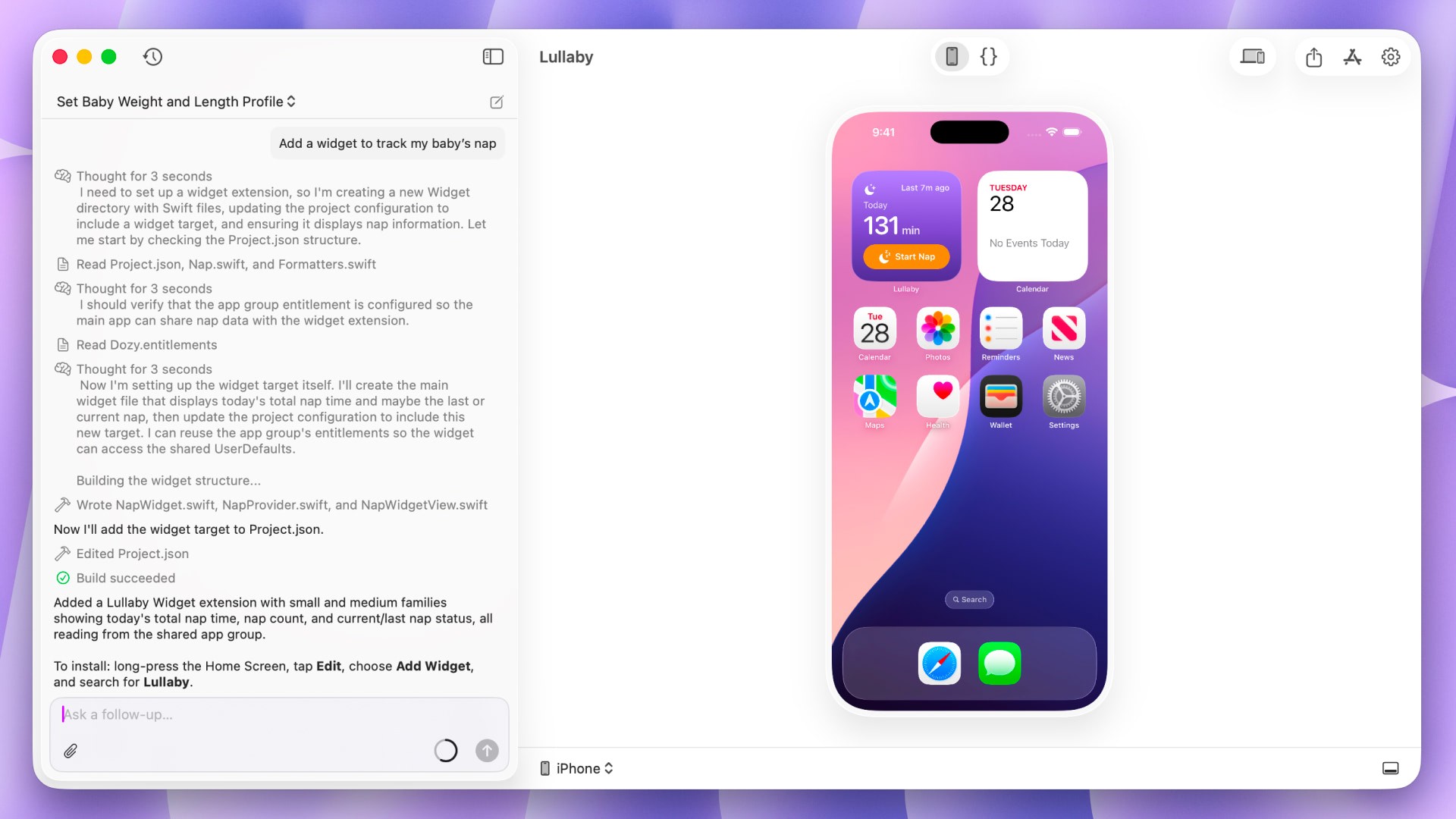
So build a Widget, Live Activity, or Control.
Highlight the information that matters most. Make useful actions easier to reach. Let your app’s character shine through.
Help your users make their devices feel truly their own.
Topics
Widgets & Extensions
Apple Platforms
SwiftUI

