Releases

I’ve always been drawn to working on products I use myself. It’s rewarding to spend the day improving something, then turn around and get to use it for yourself.
For a while now, I’ve been wanting to use Bitrig to build Bitrig.
Over the last two months, we’ve made a lot of progress toward that goal, re-architecting Bitrig to sit on top of a professional-grade development stack:
The full Xcode toolchain, so you can build with the SDKs for all of Apple’s major platforms.
Xcode Simulator previews, so what you see matches what your users get on TestFlight and the App Store.
Claude Code, so Bitrig can build your project, inspect issues, and search documentation on your behalf.
Version History backed by Git, so you can browse and restore previous versions of your project with confidence.
But there was still one thing holding me back.
Today, we’re fixing it:
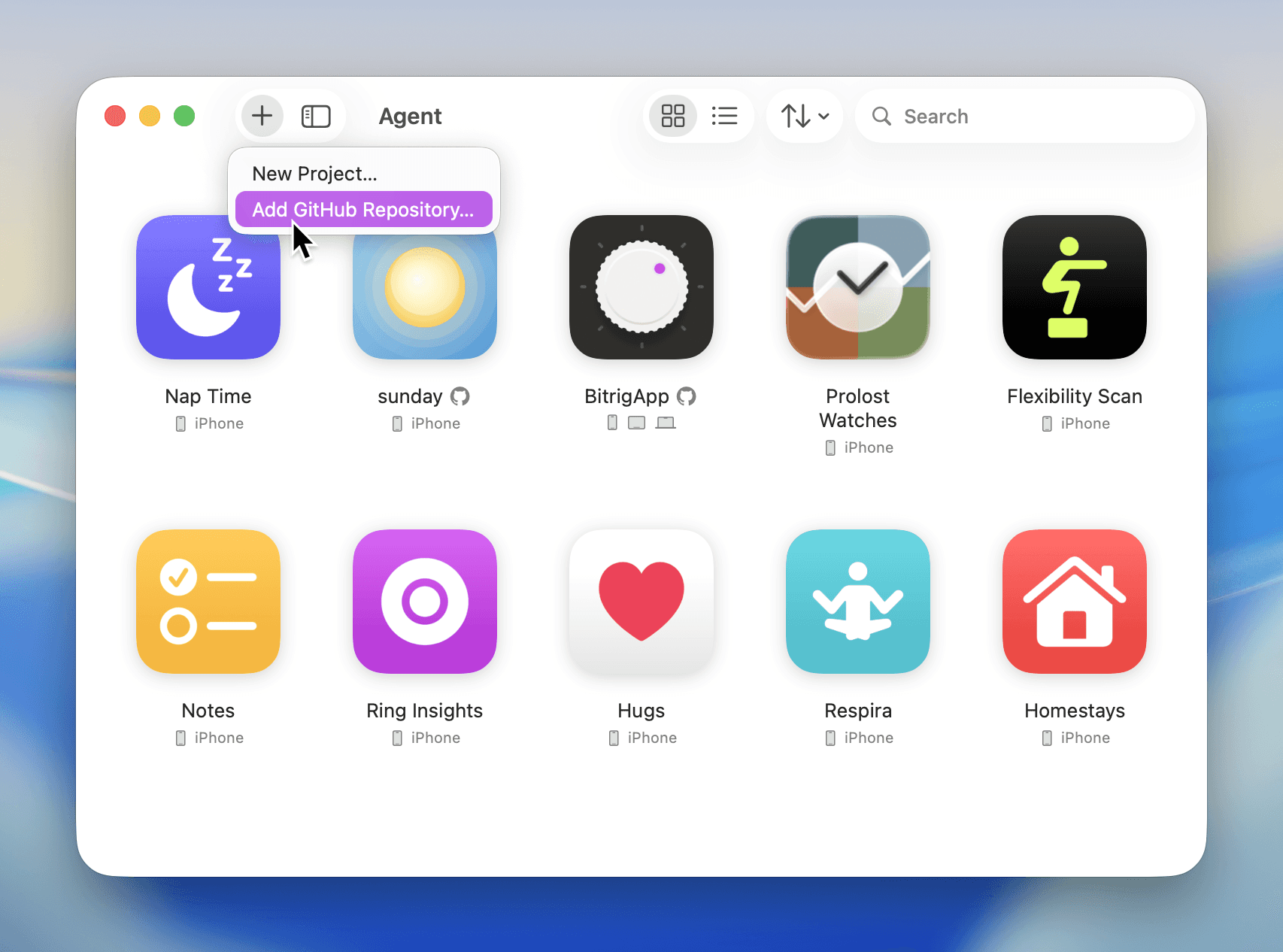
Bitrig can now work with existing Xcode projects from GitHub.
Bitrig is no longer just a place to start something new. You can now import existing repositories, make changes to your projects, and contribute them back through the GitHub workflow your team already uses.
Here’s what’s new:
Bring your own Xcode project. Bitrig can build, test, and run your existing schemes and targets, show an app preview, edit code across files, and update project settings.
Connect your GitHub account. Browse your repositories and import your existing codebase into Bitrig. For each new conversation, Bitrig creates a branch, commits your changes, syncs with GitHub, and helps you open a pull request.
This opens up new ways of working with Bitrig.
If you’re a designer, don’t recreate your team’s app in a separate environment. Explore your ideas directly in the production codebase.
If you’re a product manager, don’t just file a bug report for the next issue you hit. Make the fix yourself and open a pull request.
If you’re an engineer, don’t wait until you get back to your desk to start your next feature. Build and test it on the go with Bitrig Remote.
That’s the kind of work I’ve been wanting to do with Bitrig.
Now we can.
Topics
Developer Workflow
Xcode