Releases

We’re all still learning how to work with AI.
An idea rarely arrives as a finished prompt. Sometimes you want to talk it through. Sometimes being asked a question helps you figure out what you mean. And sometimes you only realize what you forgot to say after you’ve sent the message.
There are many ways of working. Today we’re bringing more of them to Bitrig:
Bitrig’s composer now gives you more control over your conversations, from planning your approach to dictating your thoughts.
That includes:
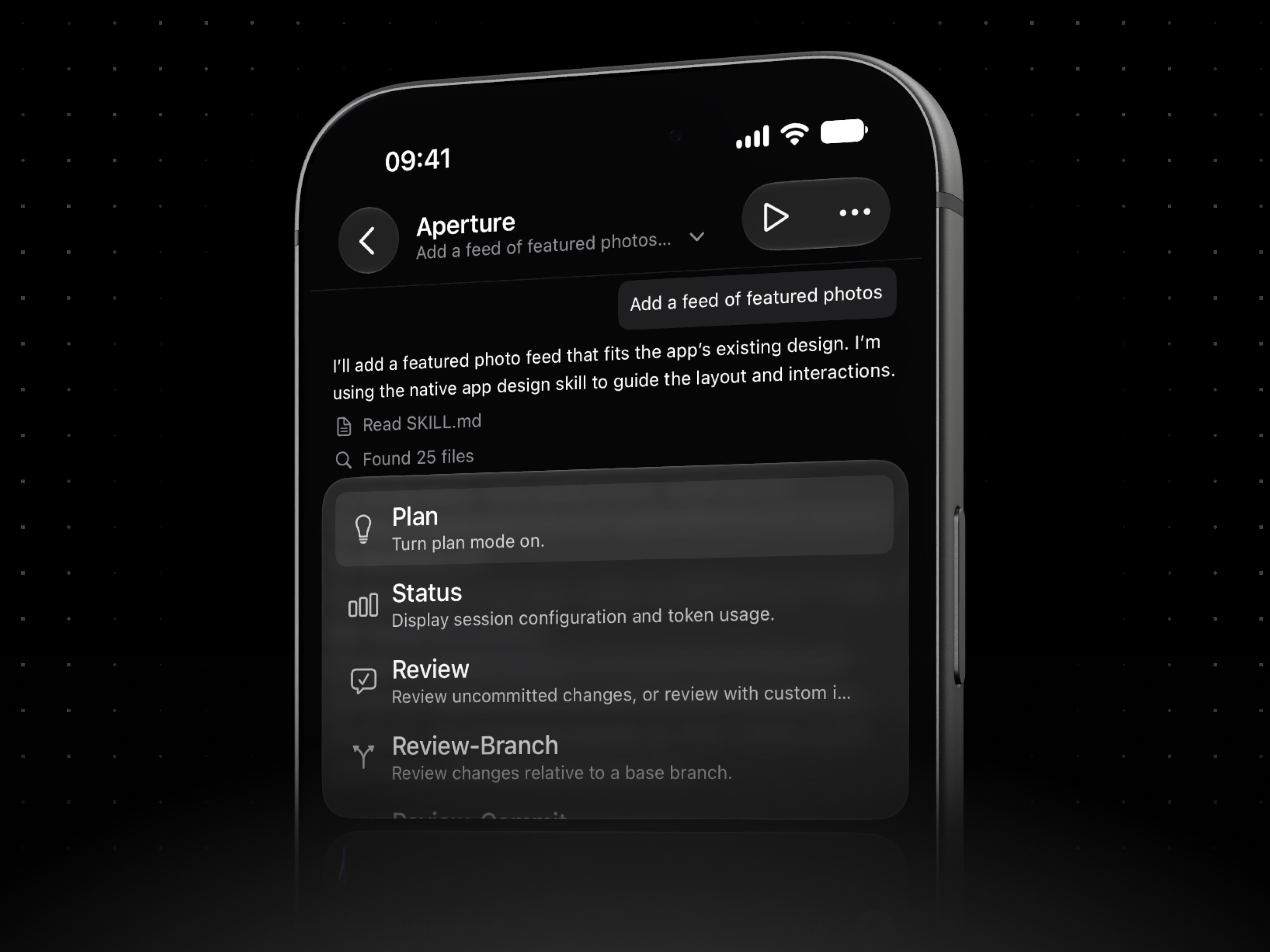
Commands and skills. Type
/in the composer to browse your agent’s commands and skills. Import new skills from a GitHub URL, or ask your agent to make one for that prompt you keep retyping from scratch.Plan and goal modes. Use
/planto work through an idea with your agent before it makes any changes. Use/goalto tell your agent to keep working on a long-running task across multiple turns without waiting on you for another prompt.Steering and queuing. Steer your agent by sending a message while it’s working to add a missing detail or share new information. Queue its next task with ⌘↵ to get the thought down before you move on to another task and forget.
Voice dictation. Press the microphone button and think out loud, at your desk or on the go. Use OpenAI’s newest transcription model, so you can talk through an idea with fewer corrections along the way.
Prompt history and stashing. Use ↑ and ↓ to recall earlier prompts. Press ⌃S to set a draft aside while you ask something else, then press it again to bring the draft back.

We’ve rebuilt the composer so all these improvements come to Bitrig Remote too. Alongside bringing your own agents and running them in parallel, these enhancements turn your iPhone and iPad into a desktop-class AI development environment.
These tools might feel foreign at first, but I think you’ll quickly find they become second nature. So open Bitrig and experiment. Make a /plan. Set a /goal. Import a skill. Queue up a task. Talk through an idea.
You just might find a way of working you can’t do without.
Topics
Bitrig Remote
AI Coding
Developer Workflow

