Releases

How things look and how they feel shouldn’t be designed separately. But that’s often exactly what happens, because you need to run native code to experience a design at full fidelity.
It's not great for the designer, who ends up animating static screens to approximate how the app will feel.
It's not great for the engineer, who has to work backward from elaborate prototypes to build the native controls and interactions they represent.
Today, we’re excited to share:
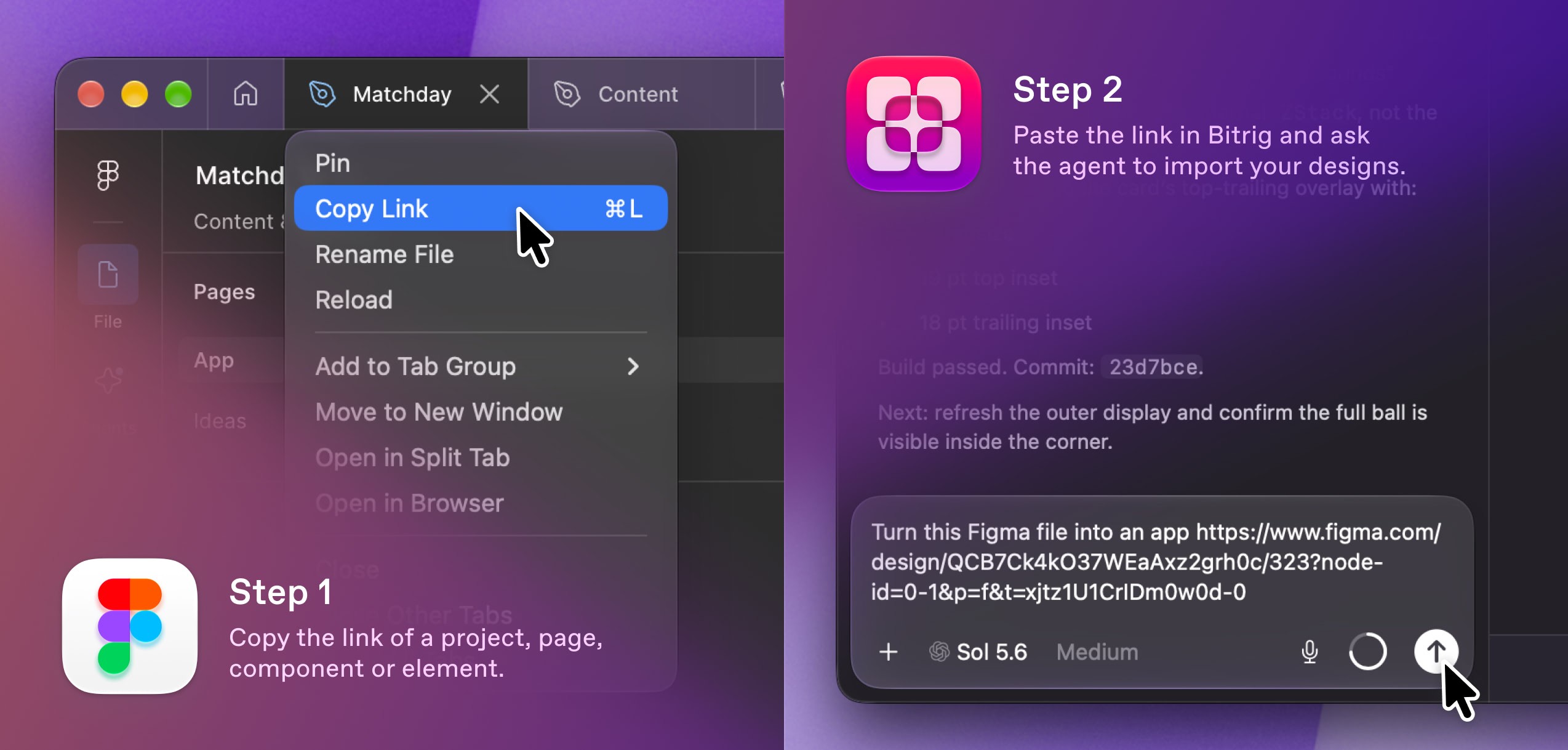
Bitrig can now turn your Figma designs into native Swift apps built with Apple’s real controls and materials.
That means:
Figma import. Connect your Figma account through the Figma MCP, share a link, and ask Bitrig to build it. If a page has several frames, it helps you choose which ones to bring in. Your design comes up running in Bitrig’s 3D simulator, inside the exact device you’ve selected.
Apple design resources. Bitrig consults Apple’s Human Interface Guidelines as it builds. And if you design with Apple’s iOS and iPadOS 27 UI Kit, Bitrig recognizes which parts of your design are Apple’s system components and styles.
Native interactions. Bitrig maps familiar elements in your Figma design, like navigation bars, menus, and sheets, to native SwiftUI components. The sheet pulls down, the row swipes, and the text field brings up the real keyboard, because they’re the real thing.
Adaptive visuals. Translucent surfaces become native materials or Liquid Glass where appropriate, flattened SF Symbols become native icons, and colors from Apple’s kit become system colors that adapt to dark mode.
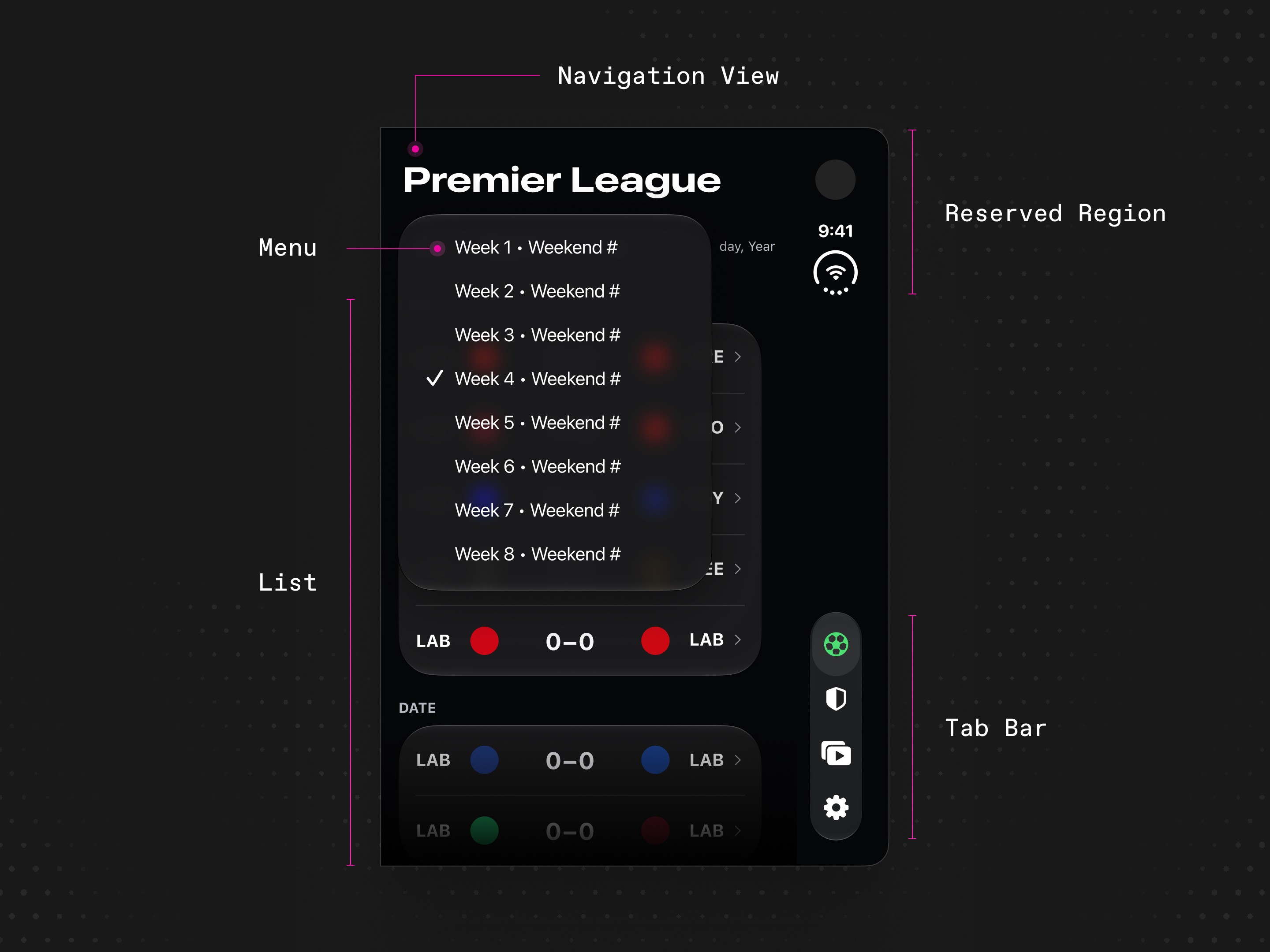
Last week, we added iPhone Duo support. Apple’s iOS and iPadOS 27 UI Kit now includes Duo’s bezels, bars, and other controls to design with in Figma. But static frames can’t fully capture how your app responds as it transitions between the different poses. Bitrig’s 3D simulator lets you interactively open, close, and spin the device. It’s the best way to experience your app on iPhone Duo until you can hold one on October 23.

If you’re a designer, Bitrig lets you try your idea while it's still taking shape. Run it on a connected iPhone or install it from Bitrig Remote. Feel the gestures under your thumb and haptics in your hand. Tweak the details until they're just right. Open your team’s Xcode project to explore your design within the shipping app, using its real components. And the next time a bug bothers you, don’t just file it. Make the fix yourself.
If you’re an engineer, Bitrig helps with the painstaking work of translating a prototype into native code. Bitrig will intelligently map from the Figma link you were handed to system components and materials. Better yet, suggest your designer use Bitrig to explore their ideas earlier in the design process and handoff their work as a running app.
Topics
Design
Developer Workflow

