Guides
In brief
Learn how App Store Optimization uses keywords, screenshots, ratings, and promotion to rank higher and get more app downloads (beginner's guide).
You built your app. You finally got it through App Review and onto the App Store. You’ve never been more excited. Every hour you keep checking the numbers… and hardly anyone is downloading it. It's like you're invisible on the App Store.
The reality is, building and publishing an app is just the beginning. Getting people to discover, download, use and pay for that app is a completely different challenge.
One of the first things you should learn is App Store Optimization, or ASO.
App Store Optimization is the ongoing process of improving your app’s visibility in App Store search results and increasing the percentage of people who download it after seeing its listing. It includes your keywords, app name, subtitle, screenshots, ratings, reviews, and other parts of your App Store product page.
In oversimplified terms, ASO is the App Store version of SEO on Google.
What is ASO?
Search engine optimization, or SEO, helps a website appear higher in search engines such as Google. App Store Optimization applies a similar idea to mobile apps.
Instead of optimizing a webpage, you’re optimizing your app’s metadata and product page so your app appears for relevant searches and the people who find your app are more likely to download it.
That second part is important. Ranking for a keyword doesn’t do much for you if your icon, screenshots, ratings, or description cause everyone to keep scrolling.
A beginner-friendly way to think about ASO is to divide it into two areas:
ASO area | What you optimize | Primary goal |
|---|---|---|
Search visibility | App name, subtitle, keywords, and category | Appear in relevant searches |
Convert | Icon, screenshots, previews, description, ratings, and reviews | Turn product-page visitors into downloads |
ASO isn’t something you complete once and forget about. You’ll continue testing and refining it throughout the life of your app.
How does App Store search work?
Apple doesn’t publish its complete search-ranking formula and you should be skeptical of anyone who claims to know every part of it.
However, Apple does explain the major categories of signals it considers.
According to Apple’s App Store search guidance, search results consider text relevance, including matches in an app’s name, subtitle, keyword field, and primary category. User-behavior signals such as downloads, ratings, and reviews can also influence the results.
That means your job isn’t to repeat one keyword as many times as possible. Your job is to make it easy for Apple to understand what your app does while giving users a compelling reason to download it.
App Store keyword and description limits at a glance
When optimizing your App Store listing, these are the main metadata limits to know. Your app name and subtitle can each contain up to 30 characters, the keyword field allows up to 100 characters, the description allows up to 4,000 characters and you can upload up to 10 screenshots.
App Store field | Limit |
|---|---|
App name | 30 characters |
Subtitle | 30 characters |
Keyword field | 100 characters |
Description | 4,000 characters |
Screenshots | Up to 10 |
App Store Keywords
Your App Store keywords are the words and phrases people might search when looking for an app like yours. If you built a habit tracking app, people are probably searching for:
Habit tracker
Daily habits
Routine planner
Goal tracker
Streak tracker
You probably won’t rank equally well for every term. Broad keywords may attract more searches, but they’re also usually more competitive. Specific, long-tail, keywords may have less search volume but give a new app a more realistic chance of ranking.
For example, ranking for “productivity” is extremely difficult and may not reflect exactly what your app does. A more specific phrase such as “habit tracker for ADHD” is highly targeted.
Start by asking:
What problem does my app solve?
How would a user describe that problem?
What would I type into the App Store to find an app to solve this problem?
Are there more specific searches with less competition?
Relevance matters more than stuffing your listing with popular words.
App name vs. subtitle vs. keyword field
Apple indexes several pieces of metadata when determining where your app can appear in search. Three of the most important are your app’s name, subtitle, and keyword field (in that order).
App name
Your app name can contain up to 30 characters. It should communicate your brand while giving users an idea of what the app does.
If your brand is new, no one knows about it so they aren't searching for it. If that's the case then you'll want to start your app name with a keyword, not your brand name.
Something like:
Habit Tracker: Streakly
“Habit Tracker” explains the app’s purpose and is a strong keyword, while “Streakly” is your brand name.
Don’t force a keyword into the name if it creates something awkward, misleading, or inconsistent with your brand. Apple requires app names and metadata to accurately represent the app.
App subtitle
The subtitle also has a 30-character limit and appears below your app’s name on its product page. The app name carries more weight with the algorithm, but the subtitle is also very impactful.
Use another one (or two) of your target keywords in the subtitle while also further explaining what the app does.
For example:
Build routines and streaks
"Routines" and "streaks" are solid keywords and it also explains more of what the app does.
Keyword field
The App Store keyword field gives you 100 characters. Apple recommends separating terms with commas and avoiding unnecessary spaces, duplicates, overly broad terms, and words such as “app.”
Apple also explicitly advises developers not to repeat words that already appear in the app name, subtitle, or category. Repeating a word doesn’t give you bonus credit; it consumes limited space that could have been used for another relevant term.
Put your most important keywords in your title, subtitle, then keyword field.
You should also avoid:
Competitors’ app names
Unauthorized trademarks
Irrelevant popular searches
Singular and plural forms of the same word
Filler words that don’t add meaning
Pricing claims or misleading phrases
App description and promotional text
Here’s a common beginner misconception: adding more keywords to your app description won’t help you rank for those terms on the App Store.
Apple doesn’t list the description as a direct App Store keyword-ranking field. Instead, App Store search considers text relevance from your app name, subtitle, keyword field and primary category. This differs from Google Play, which does consider an app’s description when determining search relevance.
That doesn’t mean your description is unimportant. It helps potential users understand your app and decide whether to download it. Apple recommends starting with a concise paragraph followed by a short list of your main features, with the most important information in the first sentence.
Your description can contain up to 4,000 characters and can be changed when submitting a new app version. Apple also uses it for web search results, so write it clearly for both people and traditional search engines.
Promotional text is a separate 170-character field that appears above the description. You can update it at any time without releasing a new app version, making it useful for announcing new features, events or limited-time offers. Apple explicitly states that promotional text does not affect App Store search rankings, so don’t use it to stuff in extra keywords.
Localize your App Store listing
Localization can be one of the highest-leverage ASO improvements because it helps people find and understand your app in their preferred language.
In App Store Connect, you can localize your app name, subtitle, keyword field, description and screenshots. Apple says users can search for an app using its localized keywords in countries and regions where the App Store supports that language.
For a U.S.-based indie developer, Spanish localization may be a logical place to start if the app is relevant to Spanish-speaking users. English (U.K.) can also help you tailor your wording, spelling and keywords for customers in the United Kingdom.
Don’t simply translate your existing keywords word for word. People in different markets may search for the same feature using completely different language. Research the terms customers actually use and localize your screenshots and messaging as well as your keywords.
Apple determines which localization to show based on factors such as the customer’s storefront, device-language settings, your available localizations and your primary language. Check App Store Connect analytics to identify promising markets and expand from there.
Bitrig’s App Store Connect integration can generate translations and update your product page through AI, saving you a ton of time as you expand into additional markets.
App Store conversion rate: how to earn the tap
Showing high in the search results doesn't help if your product page is weak and hardly anyone downloads your app after tapping on it.
In fact, you won't keep that high position if this is the case.
Your App Store conversion rate is the percentage of people who view your product page and then download the app.
Elements that can influence conversion include:
App icon
Screenshots
App name
Subtitle
Description
Ratings and reviews
Pricing
The quality and clarity of your overall presentation
You don’t have to guess which creative assets perform best. Apple’s Product Page Optimization tools let you test up to three alternate treatments using different icons, screenshots, and app previews.
Those results appear in App Analytics so you can compare conversion performance and make decisions based on actual user behavior.
When testing, change one clear idea at a time when possible. If you replace the icon, screenshots, and messaging all at once, you won’t know which change affected the result.
App Store screenshot best practices
App Store screenshots are extremely important. A lot of developers treat them as an afterthought. This is a huge mistake.
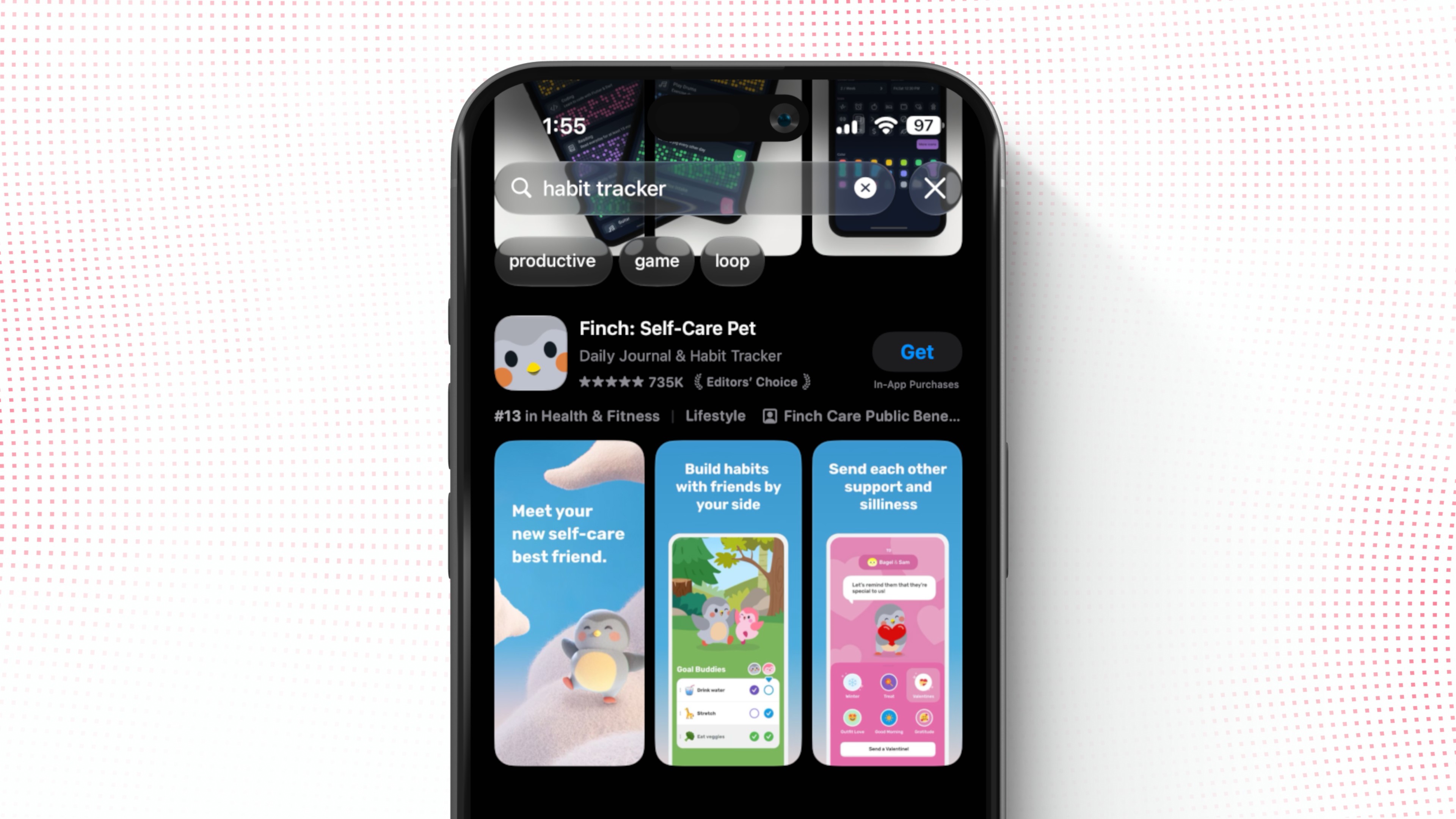
Take a look at your own behavior when scrolling through App Store search results. You're scanning the screenshots for something interesting. That's exactly what your potential users are doing too. Make your screenshots stop the scroll.
Apple allows up to 10 screenshots on an App Store product page. Depending on their orientation and whether you have an app preview, the first one to three screenshots may also appear directly in search results. Use those first screenshots to communicate the essence of your app.
Your screenshots should:
Show the app’s real interface.
Describe the benefits, don't list the features.
Use short, readable captions.
Look polished and consistent.
Make sense without requiring someone to read the full description.
Don’t just show a random settings screen because it was easy to capture. Each screenshot should have a job.
For a habit tracker, the first few screenshots might communicate:
Build better daily habits.
Keep your streak going.
See your progress over time.
Together, those images tell a simple story about why the app is worth downloading.
Ask for ratings at the right moment
Ratings and reviews play a huge part in how well you rank on the App Store and provide social proof to your potential users.
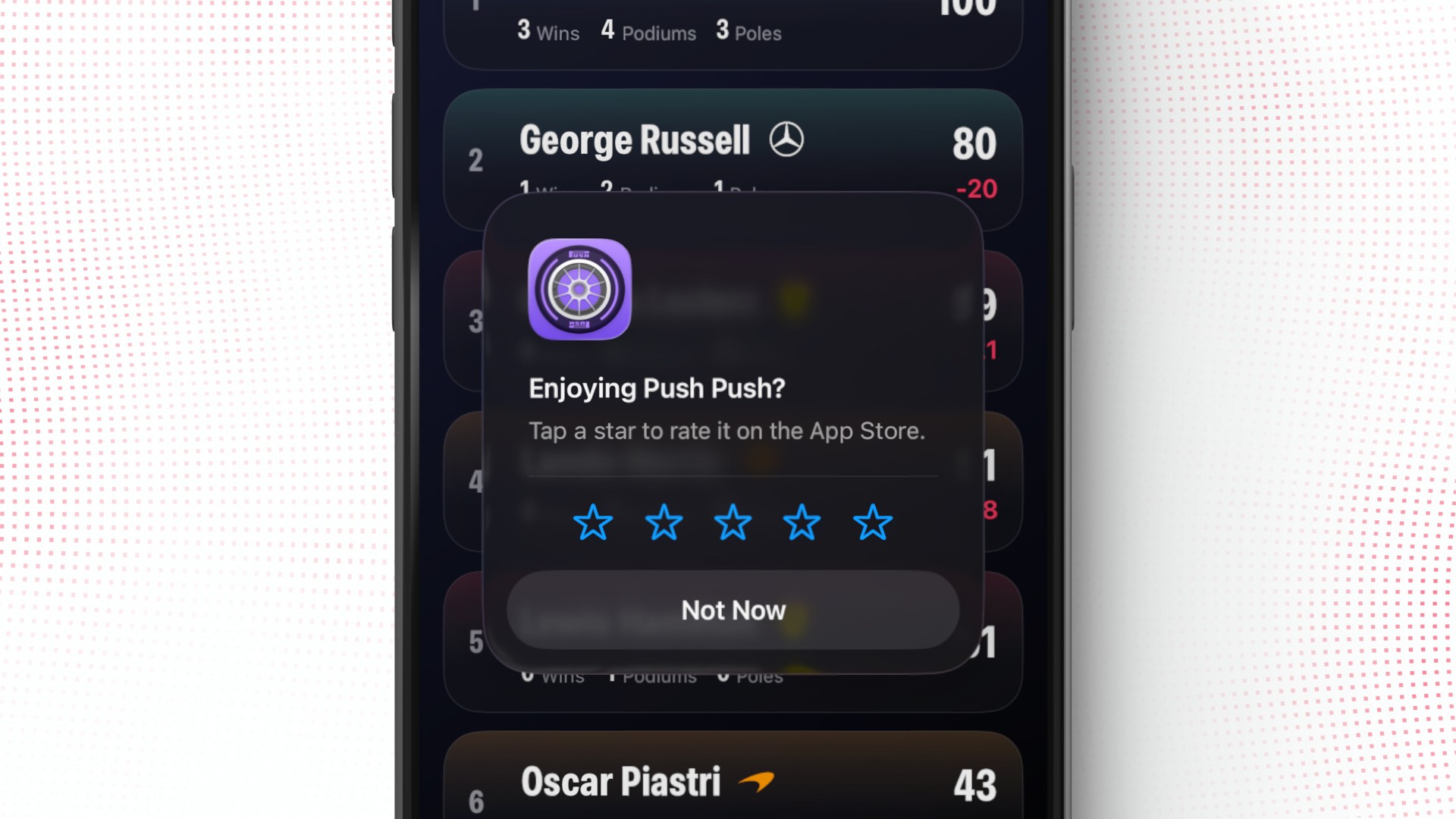
Not asking for ratings in your app is a mistake. They’re too important to ignore. But that doesn’t mean you should show a rating prompt the moment someone opens your app. Aggressive or poorly timed rating prompts can be treated as manipulative behavior under App Review Guideline 5.6.3, which prohibits manipulating reviews and other elements of App Store discovery.
The most impactful way is to ask after the user has experienced something positive in your app. For a habit tracker, that might be after someone:
Completes a seven-day streak.
Reaches a goal.
Uses the app consistently for a period of time.
Request a rating after a satisfying moment that doesn’t interrupt the user’s activity. StoreKit controls whether the standard rating prompt actually appears, so requesting it doesn’t guarantee that the user will see it every time.
The goal is not to spam every user until they give in. The goal is to make it easy for happy users to share their experience at a natural moment.
Track ASO performance in App Store Connect
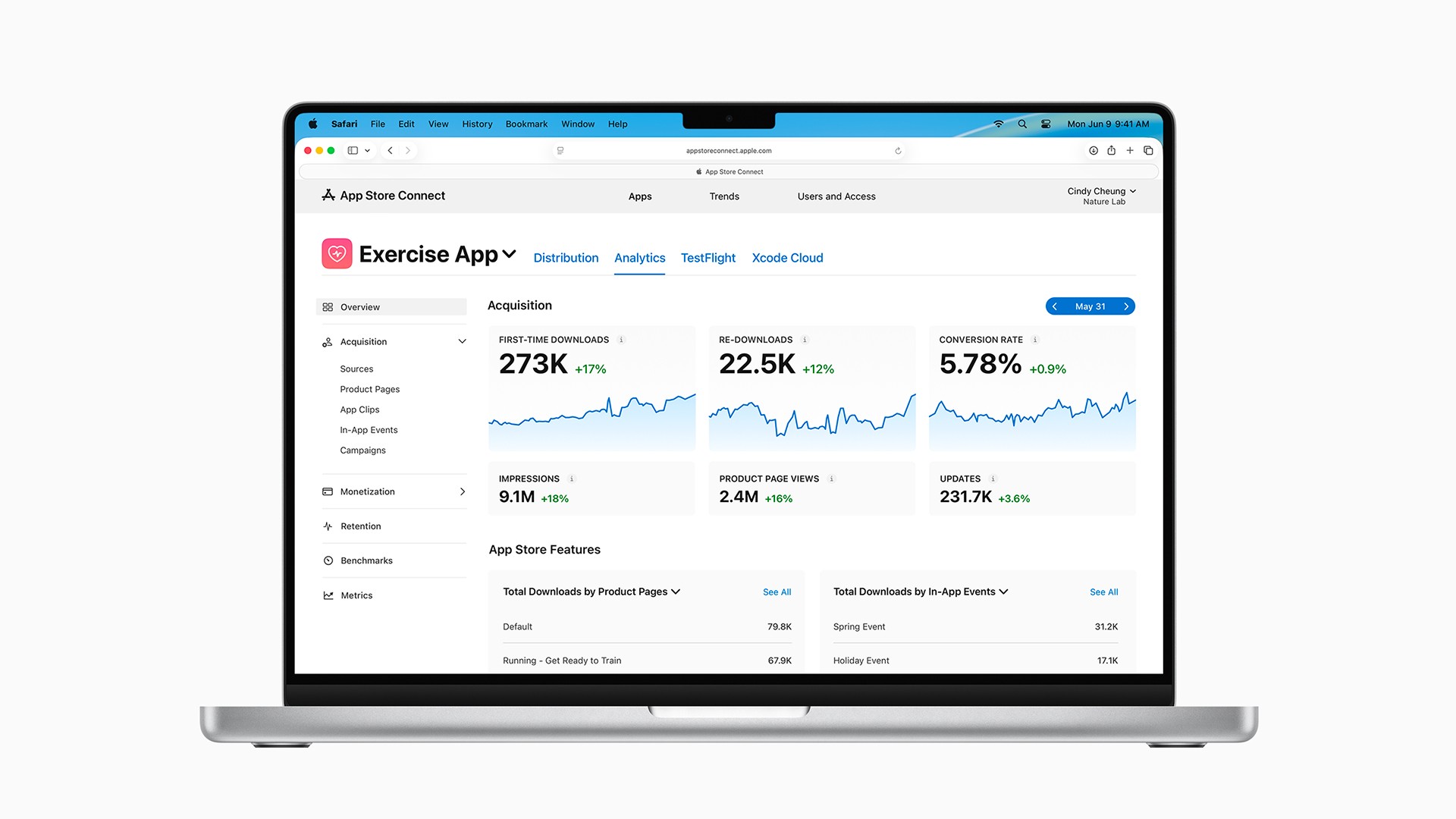
ASO should become a cycle of testing, measuring, and improving. Use App Analytics in App Store Connect to monitor metrics such as:
Impressions
Product-page views
Downloads
Conversion rate
Look for useful relationships in the data.
If impressions increase but downloads don’t, your keywords may be improving visibility while your product page fails to convert.
If your conversion rate is strong but impressions are low, your listing may be convincing once people find it, but you need to improve discoverability or bring in more traffic.
Build the ASO flywheel
ASO works like a flywheel. A simplified version looks like this:
Better search visibility → more product-page visits → more downloads → more active users → more opportunities for ratings and reviews → stronger App Store signals
As those signals improve, your app may become more competitive in relevant searches, leading to more visibility and more downloads.
This isn’t an exact formula published by Apple, and it won’t happen overnight. ASO takes time. It's a long-term investment.
The dream is to reach the point where your app consistently generates organic downloads. However, getting the flywheel started is the hardest part.
How do you get your first app downloads?
A brand-new app will have very little history, few ratings, and no existing audience. Even with solid ASO, you're probably going to need to bring your first users in from outside the App Store.
Possible sources include:
Social media
Your website or email list
Relevant online communities
Content marketing
Partnerships
Paid ads
Apple Ads is a great place to start with paid ads. Think about it. Your users are already on the App Store searching for your search term. And when you buy an Apple Ad, you can show up at the top of the search results for that term. It's tough to get better than that. Apple Ads can help you test keywords, learn which searches attract users, and generate some initial downloads.
As of August 2026, Apple offers eligible new Apple Ads accounts a one-time $100 promotional credit. To qualify, you must be the registered App Store Connect Account Holder, have at least one app available on the App Store in an eligible market, and link the appropriate Apple Ads and App Store Connect accounts.
Paid ads don’t guarantee higher organic rankings, and they won’t rescue an app people don’t want. They’re simply one way to generate initial traffic while you continue improving your app and product page.
Learn more in our guide on Apple Ads.
A beginner ASO checklist
If you’re just getting started, focus on these steps:
Identify the problem your app solves.
Be able to explain its value in one clear sentence.Research relevant search terms.
Favor specific keywords that match real user intent.Optimize your name, subtitle, and keyword field.
Use each field efficiently without repeating words or stuffing irrelevant terms.Upgrade your screenshots.
Make the first few images communicate the app’s strongest benefits immediately.Request ratings after positive moments.
Give satisfied users an easy, well-timed opportunity to leave feedback.Monitor impressions, downloads, and conversion.
Use App Store Connect to identify where users are dropping out.Keep testing.
Try new screenshots, positioning, and keywords, then measure what actually improves performance.
ASO is a long-term project. Small improvements can compound as your app earns more visibility, users, and positive feedback.
Frequently asked questions about App Store Optimization
What does ASO stand for?
ASO stands for App Store Optimization. It is the process of improving an app’s visibility in an app marketplace and increasing the likelihood that people download it.
What is the difference between ASO and SEO?
SEO optimizes websites and webpages for search engines such as Google. ASO optimizes app metadata and product pages for marketplaces such as Apple’s App Store. Both involve search intent and keywords, but ASO also places significant emphasis on product-page conversion, ratings, reviews, and downloads.
How long does App Store Optimization take?
There is no fixed timeline. A metadata change may affect where your app appears, but meaningful results usually require ongoing testing and enough impressions and downloads to evaluate performance. ASO should be treated as a continuing process rather than a one-time launch task.
Do ratings help an app rank higher?
Yes. Apple states that ratings and reviews can influence App Store search rankings. Ratings can also improve trust and conversion because users see them in search results and on the app’s product page.
Should I repeat keywords in my app name and keyword field?
No. Apple advises developers not to repeat words already used in the app name, subtitle, or category. Use the limited keyword field for additional relevant terms instead.
Do screenshots affect App Store rankings?
Apple presents screenshots as part of the product page and search experience, not as a published text-relevance field. Their clearest role is improving conversion by helping users understand the app and decide whether to download it. Better conversion and user behavior may support your broader ASO performance over time.
Do Apple Ads automatically improve organic rankings?
Apple doesn’t state that buying ads directly increases organic rankings. However, ads can get you more downloads and real users which can lead to more ratings. More ratings will likely improve your rankings.
Does Apple index my app description for App Store search?
Apple doesn’t list the description as a direct App Store keyword-ranking field. Use your app name, subtitle and keyword field for search terms, and use the description to explain the app, improve conversion and support web search visibility.
The bottom line
App Store Optimization helps the right people discover your app and gives them a stronger reason to download it.
Start with relevant keywords, use your app name and subtitle strategically, create screenshots that clearly sell the benefits, request ratings at good moments, and monitor the results in App Store Connect.
Then keep iterating.
ASO can become a deep rabbit hole, but beginners don’t need to master everything at once. Get the fundamentals right, bring in some initial users, and improve based on real data. That’s how you begin building the flywheel that can eventually lead to those sweet organic downloads.
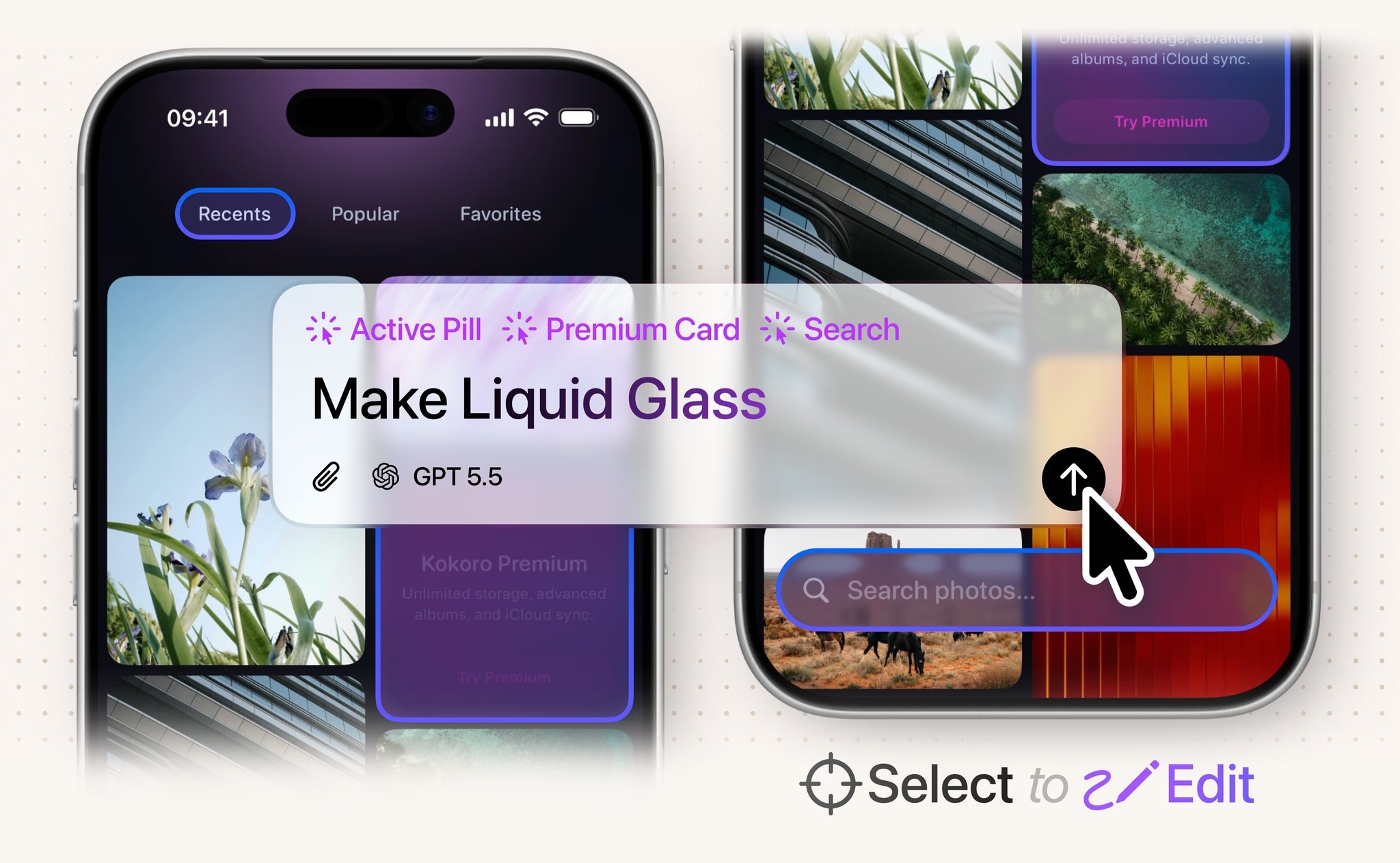
Try Bitrig
When you’re ready to start building, Bitrig can help you turn your idea into a native, high-quality Swift app with AI, even if you’re brand new to app development.
Topics
App Store
Marketing

