Guides

In brief
The App Store Small Business Program cuts Apple’s commission from 30% to 15%. See who qualifies, how the $1M limit works, and how to enroll step by step
Apple’s App Store Small Business Program reduces Apple's commission on paid apps and in-app purchases from 30% to 15% for qualifying developers. New developers can qualify, as can existing developers whose combined App Store proceeds are no more than $1 million.
If you’re an independent app developer, there’s a good chance you’re eligible. But the lower rate isn’t automatically applied to your account. You have to enroll and receive approval from Apple.
This makes a major difference to your app business. Instead of keeping ~$70 from every $100 in sales, you keep ~$85, before taxes and other adjustments.
Let’s break down exactly how the App Store Small Business Program works, who qualifies, and how to apply.
What is the App Store Small Business Program?
The App Store Small Business Program offers qualifying developers a reduced commission rate on paid apps and in-app purchases.
Under Apple’s standard terms, the commission on paid apps and in-app purchases is generally 30%. Developers approved for the Small Business Program pay 15% instead.
How much can the Small Business Program save you?
Customer purchases | Standard 30% — you keep | Small Business 15% — you keep | Difference |
|---|---|---|---|
$100 | ~$70 | ~$85 | ~$15 |
$10,000 | ~$7,000 | ~$8,500 | ~$1,500 |
$100,000 | ~$70,000 | ~$85,000 | ~$15,000 |
These are simplified examples before applicable taxes, refunds, currency conversions, and other adjustments.
That extra money can go back into design, development, marketing, contractors, or simply keeping your app business running.
Who qualifies for the App Store Small Business Program?
You can generally qualify when the total App Store proceeds earned by you and all of your Associated Developer Accounts are no more than $1 million.
Apple evaluates both:
Your proceeds during the 12 fiscal months in the previous calendar year
Your proceeds during the current calendar year
Proceeds from any Associated Developer Accounts
Proceeds connected to apps transferred during the calendar year
Developers who are new to the App Store can also qualify. You don’t need to have an established app business or a long sales history.
What does Apple mean by “proceeds”?
Sales is not the same as proceeds.
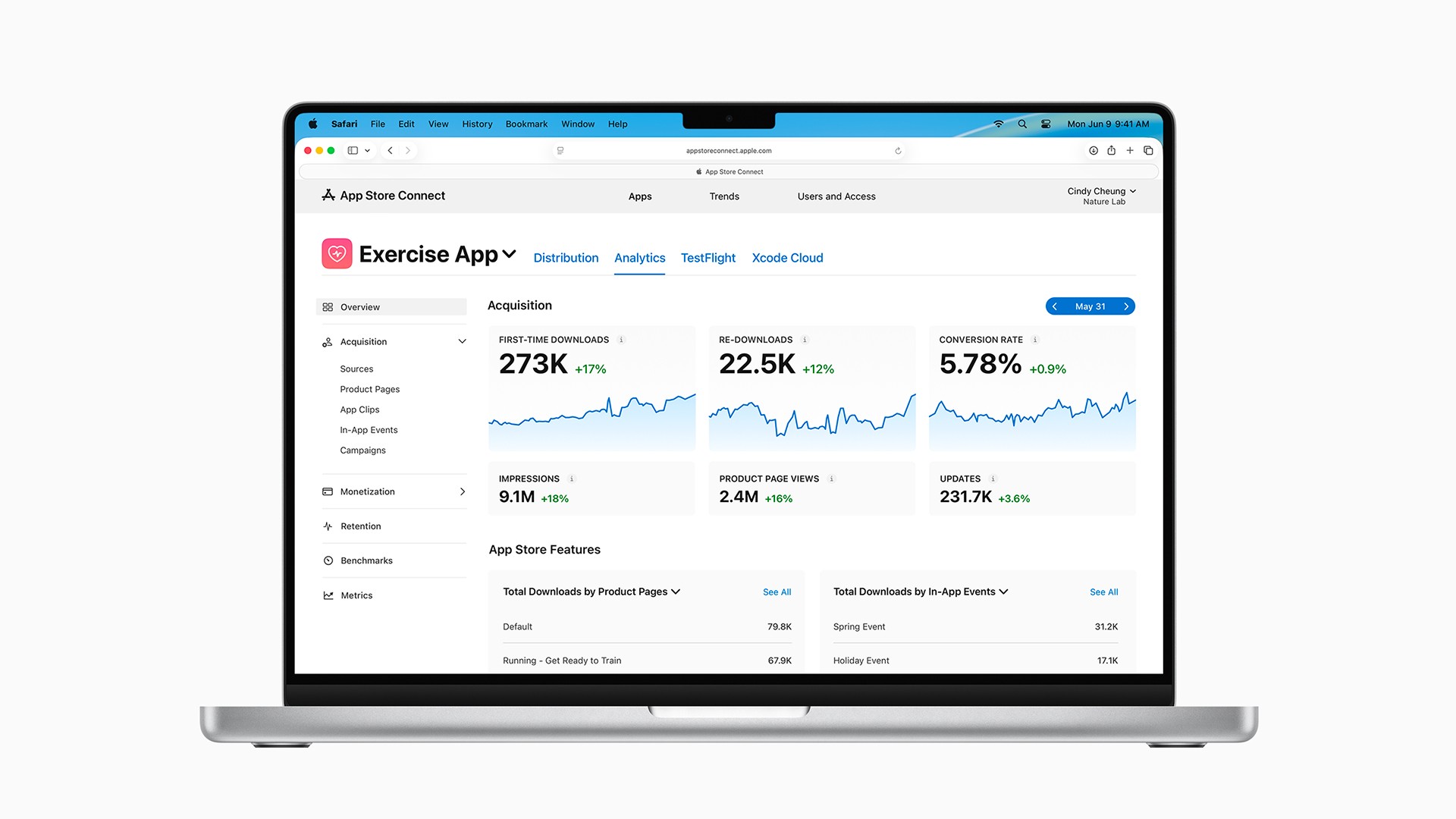
Apple defines proceeds as your App Store sales after subtracting its commission and certain taxes and adjustments. You can view this amount in your app's Analytics section of App Store Connect.
For example, imagine you had $1,000 in sales of your app.
30% commission calculation:
Customers paid $1,000
Apple keeps $300
You receive $700
Your proceeds are approximately $700
15% commission calculation:
Customers pay $1,000
Apple keeps $150
You receive $850
Your proceeds are approximately $850
Again, this is a simplified example. The real financial report may include taxes, refunds, currency conversions, and other adjustments. Use the proceeds reported by Apple rather than trying to estimate eligibility from sales alone.
What are Associated Developer Accounts?
Apple combines proceeds from accounts that are under common ownership or control. This prevents someone from creating several developer accounts simply to keep each one below the $1 million limit.
Apple considers another account to be an Associated Developer Account when any of the following are true:
You have a majority ownership interest of more than 50% in another Apple Developer Program account.
Another Apple Developer Program member has a majority ownership interest in your account.
You have ultimate decision-making authority over another developer account.
Another developer account has ultimate decision-making authority over yours.
The rule is primarily about ownership and control. Simply being invited to another company’s App Store Connect team does not necessarily make that company an Associated Developer Account.
When you enroll, Apple asks you to provide the following information for each associated account:
The individual or organization name
The Team ID
The Account Holder’s email address
A description of the relationship between the accounts
Don’t leave out an associated account because it hasn’t earned much money or isn’t actively publishing apps. Apple requires you to disclose the relationship so it can calculate eligibility correctly.
Do app transfers affect the $1 million limit?
Yes.
If an app is transferred between developer accounts, the proceeds connected to that app during the calendar year can count toward both the account transferring the app and the account receiving it.
This rule applies even when an app is transferred multiple times. Apple associates the app’s proceeds with every account involved in the transfers for that calendar year.
That’s an important detail for developers who buy, sell, or reorganize ownership of apps.
What happens if you exceed $1 million during the year?
If your combined proceeds exceed $1 million during the current calendar year, Apple applies its standard commission rate (30%) to future sales for the remainder of that year.
The higher rate is not retroactively applied to sales that occurred while you were eligible for the Small Business Program.
For example, imagine your proceeds cross $1 million in June:
Your qualifying sales before crossing the threshold remain at the reduced rate.
Future sales are charged at the standard rate for the rest of the calendar year.
You don’t immediately return to 15% if your proceeds later decline.
If your total proceeds are no more than $1 million in a future calendar year, you may requalify for the program in the following calendar year.
So if your business drops below the threshold, Apple doesn’t switch you back to 15% in the middle of that same year. You have to wait until you’re eligible to requalify for the following year.
How to enroll in the App Store Small Business Program
Enrollment is fairly straightforward, but there are a few things you should prepare first.
App Store Small Business Program enrollment checklist
Before submitting your enrollment, make sure:
You’re the Account Holder for the Apple Developer Program membership.
You’ve accepted the latest Paid Apps Agreement.
Your developer account is in good standing.
You’ve identified every Associated Developer Account.
You have the Team ID and Account Holder details for each associated account.
Your combined proceeds meet Apple’s $1 million eligibility rules.
Only the Account Holder can enroll. Being an Admin, App Manager, Developer, or another member of the App Store Connect team is not enough.
Step 1: Accept the Paid Apps Agreement
Sign in to App Store Connect and open the Business section.
Under the Agreements tab, locate the Paid Apps Agreement and make sure the latest version has been accepted. Apple requires an active Paid Apps Agreement to sell paid apps or offer in-app purchases.
You may also need to finish entering your banking and tax information before Apple can pay your proceeds.
Step 2: Gather your associated account information
For each Associated Developer Account, collect:
The account name
Its Team ID
The Account Holder’s email address
An explanation of how the accounts are related
Most independent developers will only have one Apple Developer Program account. In that case, this part of the application should be simple.
Step 3: Submit Apple’s enrollment form
Go to Apple’s App Store Small Business Program page and select Enroll now.
Review the information carefully before submitting it. Creating additional accounts or providing inaccurate information to improperly qualify can result in disqualification and withheld payments.
Step 4: Wait for approval and the effective date
Don’t expect the reduced rate to appear immediately.
Apple’s agreement says it determines eligibility for qualified developers within 15 days after the end of each fiscal calendar month. Apple also says adjusted proceeds take effect 15 days after the end of the fiscal month in which enrollment is approved.
In Apple’s example, an enrollment approved on February 10 resulted in adjusted proceeds beginning on March 14.
Because Apple uses a fiscal calendar, the timing can be longer than a week. Watch for Apple’s confirmation and check the effective date rather than assuming the 15% rate begins as soon as you submit the form.
Should every indie developer apply?
If you’re eligible and plan to sell a paid app, in-app purchase, or subscription, you should strongly consider enrolling.
There’s no reason to voluntarily pay a 30% commission when Apple offers you a legitimate path to a 15% rate. Even a relatively small app business can save hundreds or thousands of dollars over time.
The program is especially relevant for:
Solo developers
Independent app creators
Small app studios
New app businesses
Developers launching their first paid app
Developers adding subscriptions or in-app purchases
If your app is completely free and doesn’t contain in-app purchases, there’s currently no commission to reduce. The program becomes more important once you begin monetizing digital features or content through the App Store.
Frequently asked questions
Is the $1 million limit based on revenue or profit?
Neither, exactly. It is based on App Store proceeds.
Proceeds are the amount you receive from App Store sales after Apple’s commission and certain taxes and adjustments. Your expenses, such as advertising, contractors, and software subscriptions, don’t reduce the proceeds Apple uses for this calculation.
Does the Small Business Program apply to subscriptions?
Yes. The reduced commission also applies to qualifying auto-renewable subscriptions. The important difference is when the 15% rate begins:
Standard App Store terms | Small Business Program | |
|---|---|---|
First year of paid service | 30% commission — you receive 70% | 15% commission — you receive 85% |
After one year of paid service | 15% commission — you receive 85% | 15% commission — you receive 85% |
Without the Small Business Program, Apple’s standard subscription model gives you 70% during a subscriber’s first year of paid service and 85% after they accumulate one year. If you’re enrolled in the Small Business Program, you receive 85% at every billing cycle, regardless of how long that customer has been subscribed.
Can an individual developer apply?
Yes. The program is available to qualifying individual developers as well as organizations and small app studios. You must be the Account Holder for the Apple Developer Program membership you’re enrolling.
Is enrollment automatic for new developers?
No. New developers can qualify, but the reduced rate is not automatically enabled simply because your account is new or your app has not generated revenue.
The Account Holder still needs to accept the Paid Apps Agreement, complete the enrollment form, disclose associated accounts, and receive approval.
Does my income outside the App Store count toward the limit?
The program’s threshold is based on App Store proceeds. Income from unrelated work, client projects, advertising, or other businesses is not part of the App Store proceeds calculation.
However, proceeds from your apps, associated accounts, and certain transferred apps must be included.
Can I create multiple developer accounts to stay under $1 million?
No. Apple requires developers to disclose accounts under common ownership or control.
Using multiple accounts, providing inaccurate information, or otherwise attempting to improperly qualify can lead to disqualification from the program and withheld payments.
The bottom line
The App Store Small Business Program is one of the first programs a new app business should know about.
If your combined App Store proceeds are no more than $1 million and you meet Apple’s other requirements, enrolling can reduce your commission from 30% to 15%. That means keeping approximately $85 instead of $70 from every $100 in qualifying customer purchases, before taxes and adjustments.
Just remember that the lower rate isn’t automatic. The Account Holder must enroll, accept the Paid Apps Agreement, disclose any Associated Developer Accounts, and wait for Apple’s approval and effective date.
Once your monetization is set up, your next challenge is getting people to discover the app. This beginner’s guide to App Store Optimization explains how to improve your keywords, screenshots, ratings, and product page.
Try Bitrig
When you’re ready to build, Bitrig can help you turn your idea into a native Swift app with AI and real Swift and SwiftUI code, even if you’re brand new to app development. Bitrig is built by co-creators and longtime members of Apple’s SwiftUI team.
Topics
App Store
Monetization