Guides

In brief
Learn the difference between Swift and SwiftUI, how they work together in Apple apps, and what beginners should learn first when building an iPhone app.
If you’re new to building apps for Apple platforms, Swift and SwiftUI can sound like two competing technologies. This often leads beginners to ask, “Should I build my app in Swift or SwiftUI?”
The answer is both. They go hand-in-hand. They are not competitors.
Swift is a programming language. You use it to write your app’s logic, model its data, communicate with servers, save information, respond to user actions, and much more.
SwiftUI is a user interface framework built around Swift. You use it to create your app’s screens, buttons, lists, forms, navigation, animations, and other interactive elements.
Swift vs. SwiftUI at a glance
The simplest way to understand the difference is that Swift is the programming language you write your app in, while SwiftUI is a framework you use with Swift to build your app’s user interface.
Swift | SwiftUI | |
|---|---|---|
What is it? | A general-purpose programming language | Framework for building user interfaces |
Introduced | 2014 | 2019 |
What is it used for? | Logic, data models, networking, calculations, storage, etc… | Screen layouts, navigation, buttons, animations, and managing UI state |
In a weather app (example) | Requests the forecast, decodes the response, and organizes the data | Displays the temperature, weather icon, hourly forecast, and upcoming days |
Can you use it without the other? | Yes. Swift can also be used for servers, command-line tools, embedded software, and other applications | No. SwiftUI code is written in Swift, so using SwiftUI also means using Swift |
What should a beginner learn? | Learn the fundamentals as you build | Learn SwiftUI alongside Swift when building modern Apple apps |
What is Swift?
Swift is a general-purpose, open source programming language created by Apple. It’s closely associated with developing native apps for iPhone, iPad, Mac, Apple Watch, Apple TV, and Apple Vision Pro, although Swift can also be used for servers, command-line tools, embedded systems, and other software.
Apple introduced Swift in 2014 as a more modern language for its developer ecosystem. Before Swift, Apple developers primarily built apps using Objective-C.
Within an app, Swift can handle things such as:
Fetching information from a server
Decoding data returned by an API
Creating data models
Performing calculations
Saving information on the device
Sending notifications
Working with Apple frameworks such as CloudKit, WeatherKit, and Core Location
Imagine you’re building an expense tracker.
You might use Swift to represent each expense, calculate the total amount spent, organize transactions into categories, and save everything to the device. All of that code determines how the app works.
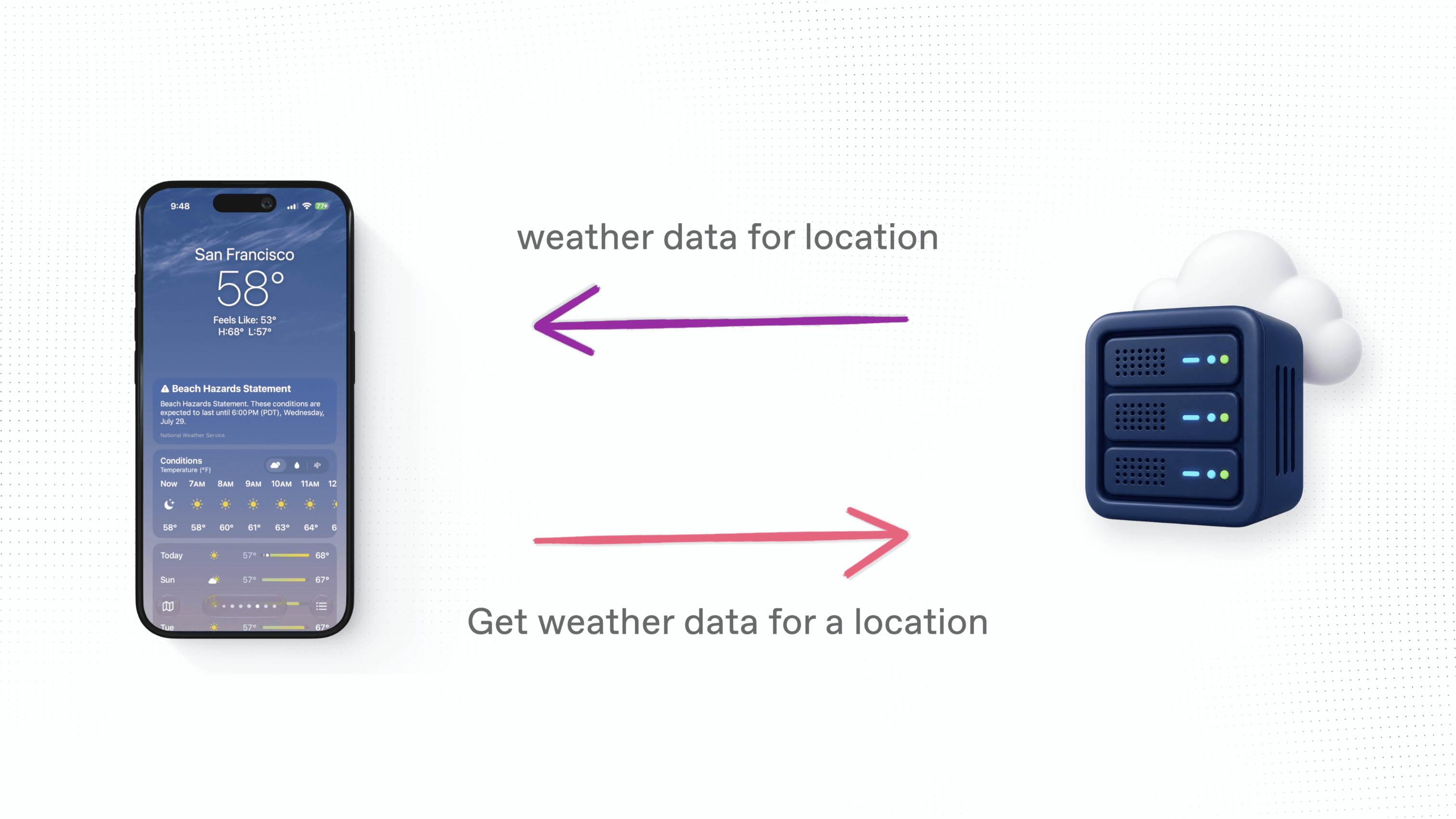
Or imagine you’re building a weather app. Swift can request the latest forecast from a server, turn the response into data your app understands, and decide whether to display rain, snow, or sunny conditions.
This is often called the app’s business logic, although Swift isn’t limited to business logic. Swift is the language used across the entire project, including the code that creates a SwiftUI interface.
What is SwiftUI?
SwiftUI is Apple’s framework for building user interfaces across its platforms.
A user interface, often shortened to UI, is everything a person sees and interacts with inside an app. This includes:
Text
Images
Buttons
Lists
Forms
Toolbars
Navigation
Animations
Scrolling content
Apple introduced SwiftUI at WWDC in 2019. It uses a declarative approach to creating interfaces.
That sounds technical, but the basic idea is simple. You describe what the interface should contain, and SwiftUI works out how to present and update it.
For example, you might describe a screen as containing a title, an image, and a button arranged vertically. In SwiftUI, you could place those elements inside a VStack, which stands for vertical stack.
Some common SwiftUI building blocks include:
SwiftUI building block | What it does |
|---|---|
VStack | Arranges views vertically |
HStack | Arranges views horizontally |
ZStack | Layers views on top of one another |
ScrollView | Displays scrollable content |
List | Displays rows of information |
Form | Groups settings and input controls |
NavigationStack | Manages navigation between screens |
Toolbar | Adds controls around a screen |
SwiftUI also manages more than colors and layouts. It connects your interface to your app’s data, responds to changing state, handles user interaction, presents new screens, and coordinates animations.
How do Swift and SwiftUI work together?
Let’s return to the weather app example.
Before the app can display the current temperature, it needs to retrieve weather information. Swift code can send a request to a weather service, receive the response, decode it, and organize the forecast into data models.
Once that data is ready, SwiftUI can display it.
SwiftUI might create:
The large current temperature at the top of the screen
The weather condition icon
A horizontally scrolling hourly forecast
A list of upcoming days
Temperature gauges
Background colors
The flow might look like this:
Swift requests the forecast from a server.
Swift decodes and organizes the response.
SwiftUI reads the resulting data.
SwiftUI builds the screen based on that data.
When the data changes, SwiftUI updates the relevant parts of the interface.
This relationship works in both directions.
When someone taps a refresh button created with SwiftUI, that interaction can call Swift code that requests new data. When the request finishes, SwiftUI can update the screen with the latest forecast.
The logic and interface are connected parts of the same app.
Should you use Swift or SwiftUI?
For a modern Apple app, you’ll generally use Swift throughout your project and SwiftUI for much of the user interface.
A better question is often:
Should I build my interface with SwiftUI or an older Apple UI framework such as UIKit?
UIKit is Apple’s earlier user interface framework for iPhone and iPad apps. It remains important because many existing apps were built with it, and it provides access to mature APIs developed over many years.
SwiftUI and UIKit can also work together. Apple designed SwiftUI so developers can introduce it gradually into an existing UIKit or AppKit project. A SwiftUI app can also use UIKit or AppKit components when necessary.
For a beginner starting a new personal project in 2026, SwiftUI is usually the most approachable place to begin. It gives you a modern, code-based way to build interfaces across Apple platforms without first learning storyboards or older interface patterns.
You don’t need to avoid UIKit forever. You just don’t need to make it the first thing you learn unless your project, job, or existing codebase requires it.
Do you need to learn Swift before learning SwiftUI?
You don’t need to master the entire Swift language before creating your first SwiftUI screen.
In fact, learning them together often makes more sense. You can learn a small Swift concept and immediately use it to make something visible in SwiftUI.
A beginner should gradually become comfortable with:
Constants and variables
Basic data types
Arrays and dictionaries
Functions
Structures
Properties
Conditionals
Optionals
Asynchronous code
Creating and using data models
At the same time, you can start learning SwiftUI concepts such as:
Views
Stacks
Modifiers
State
Bindings
Lists
Forms
Navigation
User input
You don’t need to finish learning Swift before touching SwiftUI. Learn enough Swift to understand the code you’re working with, then keep building your knowledge as your app becomes more complex.
What should you learn when building apps with AI?
AI coding agents can write a large amount of Swift and SwiftUI code for you. That doesn’t mean understanding the basics is no longer useful.
You may not need to memorize every API or write an entire app from scratch, but learning the vocabulary will make it much easier to explain what you want.
For example, compare these two instructions:
Make this screen look better.
And:
Put the title and description in a leading-aligned VStack, move the action button into the toolbar, and place the content inside a ScrollView.
You will get better results and have a much nicer time coding with AI agents when you use the second one.
Knowing what a VStack, ScrollView, Form, NavigationStack, or Toolbar does allows you to speak the same language as the coding agent. You’ll be able to describe problems more precisely, understand the changes it makes, and fix things when the agent comes back with something you didn't want.

A beginner learning path for Swift and SwiftUI
Here’s a practical order for getting started:
Learn the basic difference between Swift and SwiftUI.
Understand that Swift is the language and SwiftUI is a framework used through that language.Build one simple screen.
Experiment with text, images, buttons, stacks, spacing, and colors.Learn basic Swift data types and models.
Create a small structure and display its information in your interface.Add state and user interaction.
Let the user tap a button, enter text, select an option, or change a value.Build navigation between screens.
Learn howNavigationStackand navigation destinations work.Connect the app to real data.
Load information from a server, Apple framework, or local storage.Keep learning as the app requires it.
You don’t need to study every feature before starting. Learn each concept when you have a practical reason to use it.
Apple’s SwiftUI tutorials are a useful official resource for learning how views, data flow, lists, navigation, and user input fit together.
Common Swift and SwiftUI misunderstandings
SwiftUI is not a programming language
SwiftUI is a framework. The code you use to create a SwiftUI interface is Swift code.
Swift isn’t only used for invisible app logic
Swift can be used for networking and calculations, but it’s also the language used to define SwiftUI views and interact with Apple’s frameworks.
SwiftUI does more than make an app look nice
SwiftUI handles layout and visual styling, but it also manages state-driven updates, navigation, user input, interaction, and animation.
Swift vs. SwiftUI isn’t the same as SwiftUI vs. UIKit
Swift and SwiftUI are different types of technology. One is a language and one is a framework.
SwiftUI and UIKit are both frameworks for building interfaces, which makes that a more direct comparison.
Frequently asked questions about Swift and SwiftUI
Is SwiftUI a programming language?
No. SwiftUI is a user interface framework. You use Swift code to work with SwiftUI and describe your app’s interface.
Can you use Swift without SwiftUI?
Yes. You can use Swift with UIKit, AppKit, server-side frameworks, command-line tools, embedded systems, and many other technologies.
Can you use SwiftUI without learning Swift?
You can begin experimenting with SwiftUI before you understand every Swift concept, especially with help from AI. However, SwiftUI code is Swift code, so learning the basics will make it easier to build, debug, and improve your app.
Which should a beginner learn first, Swift or SwiftUI?
Start with basic Swift concepts and begin using them in SwiftUI right away. You don’t need to complete a long Swift course before building an interface. Learning both together gives the language concepts an immediate, practical purpose.
Is SwiftUI replacing UIKit?
SwiftUI is Apple’s modern framework for building interfaces, but UIKit remains widely used in existing iPhone and iPad apps. Apple supports mixing the two frameworks, so developers can use SwiftUI where it makes sense without rewriting an entire UIKit app.
Can SwiftUI build apps for more than the iPhone?
Yes. SwiftUI is designed for Apple platforms, including iPhone, iPad, Mac, Apple Watch, Apple TV, and Apple Vision Pro. The exact interface may need to adapt to each device, but the same framework and many of the same views can be shared across platforms.
Can AI build a SwiftUI app for me?
AI can generate and edit Swift and SwiftUI code, but you’ll get better results when you understand the basic building blocks. Knowing how layouts, navigation, state, and data flow work makes it easier to give precise instructions and evaluate what the AI creates.
The bottom line
Swift and SwiftUI aren’t competitors.
Swift is the programming language used to build the app. SwiftUI is a framework that uses Swift to create the app’s interface and connect that interface to its data and behavior.
If you’re starting a new Apple app, learn the basic Swift concepts and begin applying them through SwiftUI. You don’t need to master everything before you start. Build something small, learn the vocabulary, and add new concepts as your app grows.
When you’re ready to publish, learn what the Apple Developer Program includes. After your app reaches the App Store, App Store Optimization can help more people discover it.
Try Bitrig
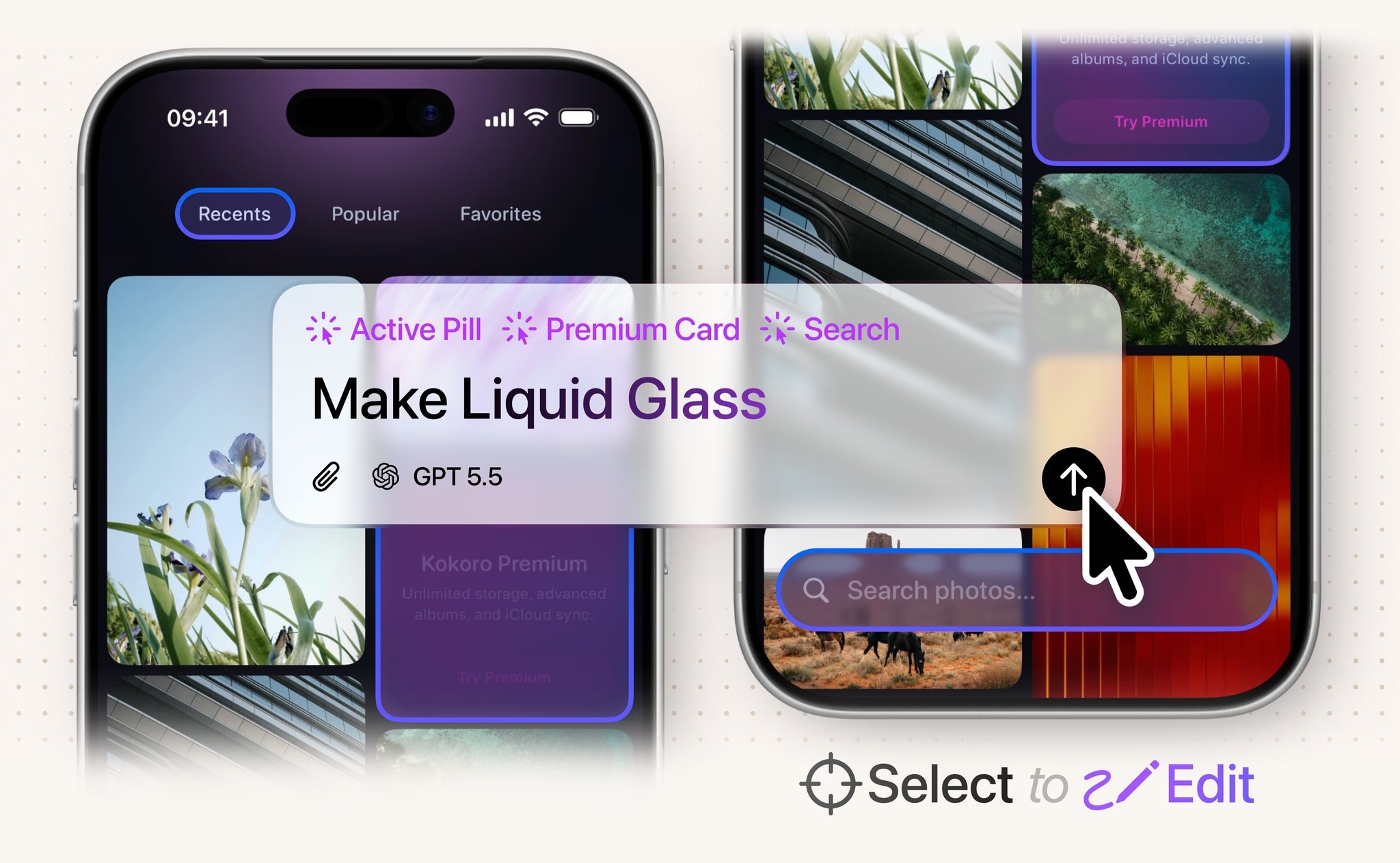
Bitrig helps you build native Apple apps with AI using real, editable Swift and SwiftUI code.
It’s built by co-creators and longtime members of Apple’s SwiftUI team, so it’s focused specifically on native app development for Apple platforms. You can describe what you want in plain English, learn the SwiftUI building blocks as you go, and turn your idea into a working app.
Topics
Swift
SwiftUI

